Obtaining and managing SSL/TLS certificates manually can be tedious, error-prone, and pose security risks, especially with so many domains involved and relatively short certificate lifetimes.
This is where ACME (Automated Certificate Management Environment) comes into play by automating the request, installation, and renewal of an SSL certificate.
At the heart of this automation are ACME Client(s) – a software tool(s) to create and renew SSL Certificates automatically using the ACME Protocol and interact with Certificate Authority (CA) such as DigiCert or Sectigo throughout the entire certificate lifecycle.
Whether managing a single website or a large cloud environment, choosing an appropriate ACME client will improve efficiency within your organisation by enhancing both your security and overall management costs.
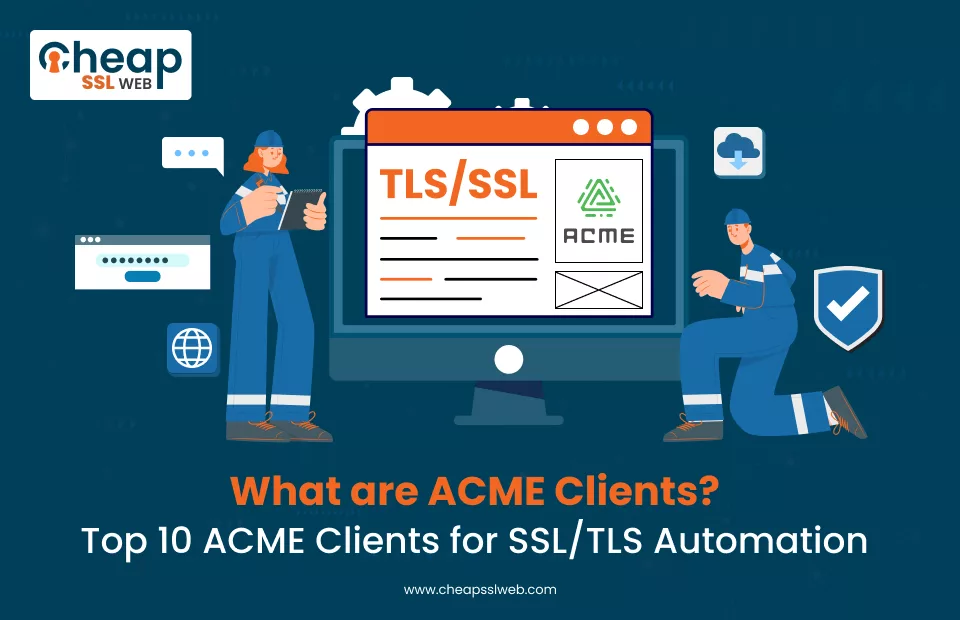
What are ACME Clients?
ACME Client(s) are Software Tools that will handle the entire process for you to request, install, and renew SSL Certificates via the ACME Protocol without any involvement from you.
Instead of generating the Certificate Signing Request (CSR), validating the Domain(s), installing SSL Certificate on Servers, etc., you will configure your ACME Client to initiate(s) an automated request(s) to a trusted Certificate Authority (CA) which will complete all the required action(s) to request, validate, install and automatically renew SSL Certificate(s) before expiration date.
Also Read: ACME Challenges for Domain Validation: Which is Best?
Your chosen ACME Client will perform Domain Validation via either HTTP 01 Challenge Method or DNS 01 Challenge Method(s), retrieve(s) Issued SSL Certificate from CA, install(s) Issued Certificate(s) on appropriate Server/Application(s), and automatically renew Issued Certificate(s) from CA before the expiration date.
Top 10 ACME Clients List
Certbot
Certbot is among the most widely used and most well-known ACME clients for those who are beginning with ACME or those Administrators who are managing a traditional web server, such as Apache or Nginx, from the Electronic Frontier Foundation (EFF).
Certbot has built-in functions to issue an SSL Certificate, and will automatically configure HTTPS to your server; any subsequent requests for a certificate can also be configured to do so with a single command.
Certbot supports many plugins, and these include HTTP-01 and DNS-01 Validation Methods. Certbot will also automatically renew a certificate with a single command using cron or systemd timers.
Finally, Certbot will automatically configure HTTP-S to HTTPS in the event a user accesses an HTTP page directly, and include configuration for HTTP Strict Transport Security (HSTS), all without any user interaction.
Certbot is best for users with Linux servers and/or shared hosting that have SSH access, and for someone who prefers simplicity yet still has a level of control.
acme.sh
Completely written in shell script, acme.sh is a highly flexible and lightweight ACME client that is very portable on Unix-like operating systems.
Unlike Certbot, which has zero heavy dependencies, acme.sh has many DNS providers available for DNS-01 validation, making it an excellent choice for use in complex environments (e.g., mail servers, internal services, wildcards).
In addition, acme.sh supports External Account Binding (EAB), which commercial certificate authorities (e.g., DigiCert, Sectigo) require. The widespread use of acme.sh in advanced automation solutions has resulted from its ease of integration with various custom scripts and CI/CD pipelines.
For users requiring fine-grained control over the processes by which they deploy and renew their certificates, acme.sh will be very valuable to them.
cert-manager
cert-manager, as a client for ACME (Automated Certificate Management Environment), is brought to you as a native Kubernetes application designed for cloud-based and containerised system deployment methods.
As compared to more traditional command line interface-based solutions, Cert-manager is run as a Kubernetes controller within your Kubernetes cluster (meaning Cert-manager resides as part of your K8S cluster), with the ability to manage certificates through the use of custom resources that include issuers, clusterissuers and certificates.
Cert-manager connects seamlessly with Ingress controllers (like NGINX, Traefik or Istio) to automatically provision TLS certificates for your services. Cert-manager can utilise either the HTTP-01 or DNS-01 methods of validating domain ownership as part of the process of issuing and renewing certificates.
It can support large numbers of domain names and namespaces across massively scalable deployments. Cert-manager is ideal for DevOps teams who are managing microservice architectures and require a fully automated, scalable solution for managing the life cycle of SSL certificates.
Lego
Lego is an ACME client based on Go, designed for simplicity, speed, and extendability. Because it is packaged as a single executable file, it makes deploying across multiple environments easy, such as on Docker containers or CI/CD pipelines.
Additionally, it supports many common DNS providers, allowing users to quickly obtain wildcard certificates using DNS-01 validation.
Due to the modular nature of Lego, it can often be used as a backend library to other tools and services. It is especially suitable for those who are programming or automating with a programmable/scriptable ACME client (i.e., developers and DevOps engineers).
Caddy (Built-in ACME Client)
Caddy is a modern web server with an integrated ACME Client, which allows for automatic HTTPS by default. Unlike previous systems, where you have to manually configure SSL certificates, Caddy automatically provisions and renews the certificate once you put in the domain within your config file.
Also, Caddy can utilise both HTTP-01 and DNS-01 challenges, and it will handle all edge cases (e.g., OCSP stapling, renewing certificates) without user intervention.
Caddy is great for developers and startups who want a secure web server and want minimal configuration overhead because it is no longer necessary to install or maintain a stand-alone ACME client.
Traefik (Built-in ACME Support)
Traefik is primarily meant for orchestrating a range of attacks but has utility as a reverse proxy to route traffic.
Through the use of Traefik’s dynamic service discovery, it detects when new services/applications are added to the infrastructure, automatically obtains/renews the necessary SSL certificates, and routes traffic to those services/applications.
Therefore, Traefik removes much of the manual workload from managing web applications due to its built-in snippits for HTTP and DNS for service validation.
win-acme (WACS)
win-acme is a native Windows ACME client for IIS. Win-Acme also allows for an easy way to manage cert issuance/renewal through automated tasks, which can be built using Windows Task Scheduler.
win-acme facilitates the ability of System Administrators managing Windows Servers to enable HTTPs without the need to rely on Linux-based tools for managing certificate lifecycle processes.
In addition to automating the issuance/renewal of certificates, win-acme supports multiple validation methods (HTTP and DNS).
Posh-ACME
Posh-ACME is an ACME client for Windows environments. The Posh-ACME client uses PowerShell for automation and scripting. This makes it a great fit for administrators who use PowerShell to manage infrastructure.
The Posh-ACME client integrates with many enterprise workflows. In addition, the Posh-ACME client supports a variety of DNS providers and multiple DNS challenge types. Also, the Posh-ACME client provides advanced DNS automation features.
Posh-ACME is a great option for companies wanting to maintain control over how they obtain certificates and integrate SSL management into complete automation solutions.
Dehydrated
Dehydrated is a simple Bash-based ACME client that is built for flexibility and simplicity. Dehydrated uses hook methods for deployment and validation so that users can create custom scripts for these tasks.
This enables Dehydrated to work with most environments, including non-standard environments (e.g. an internal web server or an internal system).
Dehydrated allows users to validate using both the HTTP-01 and the DNS-01 methods. Advanced users looking for a lightweight custom solution to manage their certificate lifecycle typically prefer Dehydrated.
acme-client (OpenBSD)
The acme-client is the ACME client included with OpenBSD. It has been designed to be secure and minimalist; it also provides seamless integration with the OpenBSD base system and strictly adheres to security-oriented development guidelines, so you can trust that it will work reliably.
Additionally, although the acme-client does not have all of the same features as other clients, it is a very efficient tool for OpenBSD users to use for SSL certificate issuance without any additional dependencies on other software.
Key Factors When Choosing a Client
Environment Compatibility
The first thing you need to determine when looking for an ACME client is where you will be using the ACME client. Different ACME clients are designed to be used in different types of environments:
For Example:
Certbot works well on standard Linux web servers; cert-manager has been specifically designed for use with Kubernetes, and win-acme or Posh-ACME are designed to be used on Windows platforms.
Choosing an ACME client that is natively suited to your environment will allow for easier integration, less configuration complexity, and better long-term support.
Ease of Use and Setup
Installing and configuring an SSL automation client can have a very large impact on your overall experience, and if this is your first time using an SSL automation client, you may want to look at clients that have an easy setup.
For Example:
Certbot and Caddy are both client applications that have simple setups with little to no configuration required, while other clients like acme.sh and Dehydrated require more manual scripting or setting up the entire environment & client manually.
To have a quick and easy deployment, choose a client that has a guided setup, or if you want more flexibility, choose a client that allows you to customize it.
Automation and Renewal Capabilities
The main advantage of ACME is that it can automate the complete process. Therefore, it is essential to choose a client that has a good automated renewal process.
Most clients will support the automated renewal processes using cron jobs, system services, or built-in controllers such as cert-manager.
Some of the clients will also support advanced features such as automatic reloading of services and deploy hooks, which will ensure that the updated certificate gets applied with no downtime.
Validation Method Support
Most ACME Clients have different domain validation methods that they support, such as HTTP-01, DNS-01, and sometimes TLS-ALPN-01.
So if you’re going to request wildcard certificates for your domain, or your domain is not listening on port 80, you will need to use a DNS-01 validation method.
Clients, including Acme.sh, Lego, & cert-manager will have extensive DNS provider integrations, allowing them to work better in advanced validation scenarios.
Support for Commercial CAs (EAB)
If you are using paid ACME SSL certificates from companies like DigiCert or Sectigo, your ACME client needs to be compatible with External Account Bindings (EAB). Not every ACME client supports EAB completely and consistently.
However, several clients do, including acme.sh, cert-manager, and newer releases of Certbot. All of these clients are great options for your enterprise/commercial SSL needs.
Integration with Existing Infrastructure
Assess how well an ACME client can work with your existing environment. Some ACME clients allow for automatic configuration of web servers (Certbot), direct integration with reverse proxies (Traefik), or direct integration into orchestration systems (cert-manager).
Strong infrastructure integration means that there will be less manual work required to deploy certificates to services correctly.
Flexibility and Customisation
Experienced users typically want more control over the way in which certificates are issued, stored, or deployed.
The scripting capabilities of ACME clients, such as acme.sh and Dehydrated, along with their hooks and configuration options, give you a means to create a customized workflow that will help meet your requirements.
This level of customisation is particularly beneficial to more advanced environments such as those found with mail servers, hybrid infrastructure, or CI/CD pipeline systems.
Security and Permissions Handling
When managing private keys and certificates, security is of utmost importance. An ACME client that adheres to proper file permissions, implements the least-privilege execution model, and protects sensitive information (such as API keys and EAB credentials) should be considered ideal.
Clients that integrate well with the security models of their operating system (example: OpenBSD’s acme-client) or have systems to securely store secrets, are also preferable.
Community Support and Documentation
Strong community support and documentation can go a long way toward assisting with troubleshooting efforts, especially when there are issues to resolve.
Many popular clients (i.e. Certbot; cert-manager), have reliable, well-maintained documentation, an active forum community, frequent updates, and a solid following.
This increases the likelihood that you will be able to easily locate a resolved issue and be kept informed of the latest best practices regarding the use of ACME Protocol and the availability of new features.
Scalability and Performance
In summary, it is essential to consider how well an ACME client can scale according to your infrastructure.
Most clients work adequately for single-server implementations, but tools such as cert-manager or Traefik are better suited for large-scale implementations (with numerous domains and/or numerous services).
This is due to their ability to accommodate the dynamic nature of the environments in which they are deployed as well as how well they can automate the process of distributing certificates and managing the distribution of large volumes of certificates.
Conclusion
Adopting ACME-based SSL automation is no longer optional but rather an essential part of keeping your infrastructure secure, scalable, and easy to manage.
It does not matter if you have a web server, Kubernetes cluster(s), email system(s), or hosted platform(s); ACME-enabled certificates allow you to automate the generation and installation of certificates, eliminating any manual labour required, thus reducing downtime risk and ensuring your security will always be current.

Simplify Certificate Management with ACME & AutoInstall SSL
Secure Your Certificates Automatically — No Manual IT Work Required
Starts at Just $19.99/Yr