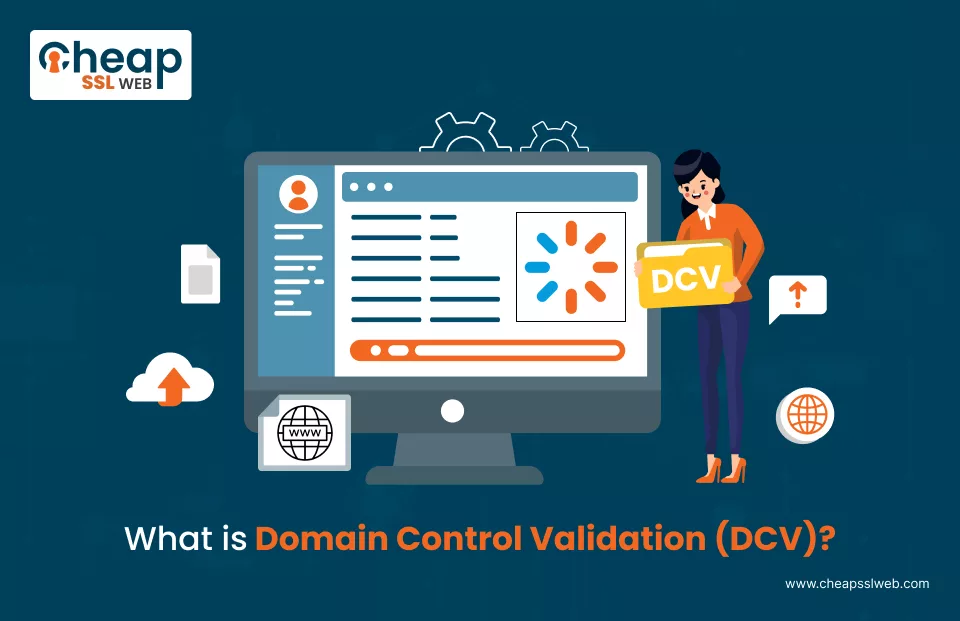
Domain Control Validation (DCV) is any one of the measures employed by certificate authorities (CAs) for verifying that any applicant requesting an SSL/TLS certificate does indeed own or control a domain for which the certificate is being requested.
This procedure is protection against certificates being misused by any unauthorized person or entity with the intention of committing fraud, phishing, and other forms of cybercrimes.
Why is DCV Important?
During the SSL/TLS certificate issuance processes, DCV provides an additional layer to the overall system of validation. The great importance disparity lies in preventing unauthorized parties from acquiring digital certificates for domains.
This is highly pertinent for abusive loopholes such as black tech knowledge breaches, legal circus, and trust breakdown.
Some of the reasons DCV is important are given here:
Prevents Unauthorized Certificate Issuance
It is one of the biggest threats in cybersecurity-a situation that might involve attackers seeking and acquiring an SSL/TLS certificate corresponding to a domain they do not own.
Once a cybercriminal acquires and becomes a trusted level with a certificate associated with a domain, a convincing phishing website can be created, interception of sensitive data can be undertaken, and man-in-the-middle (MITM) attacks can be launched.
DCV is therefore a first line of defense from such threats, ensuring that only the genuine domain owner or an authorized representative can acquire an SSL certificate.
Enhances Website Security
Basically, it’s about enhancing security for one’s website. Because with ever-increasing cyber threats that can potentially put user data into harm during transit, any web owner ought to make users’ data secure.
An SSL/TLS certificate encrypts data traveling between a user’s computer and a website, making it impossible for hackers to get valuable information, such as usernames and passwords, credit card details, or personal information.
However, the certificate must be obtained only by the legitimate owner of the domain for the encryption to be viable.
Ensures Compliance with Industry Standards
It ensures compliance with industry standards. According to the CA/Browser Forum consisting of Certificate Authorities and vendor companies, DCV is a crucial milestone in the processing of an issuance of the SSL/TLS certificate.
Also Read: WHOIS-Based Domain Control Validation (DCV) Method Deprecation
CAs are supposed to relay strict procedure P for DCV so that it complies with the rules of the industry and retains trust.
Otherwise, a browser can declare a certificate issued by a CA as an untrusted certificate, which will alert users from visiting that website when browsing the Internet.
In addition to this, a number of regulations such as PCI DSS and the GDPR stress the need to communicate sensitive information between entities that properly have such licenses.
The right DCV engenders compliance with the security requirements defined over these legal frameworks that allow avoidance of business penalties or reputational loss.
How to Maintain User Trust and Credibility?
A properly validated SSL certificate is a mark of legitimacy and safety for users. When an SSL certificate is active, most browsers show a padlock icon in the address bar, notifying visitors that their connection is encrypted.
A warning message in a browser will prevent a user from a web page if the opt-done method of DCV fails or if there is a poorly-validated certificate. Such warnings greatly deflate business credibility: traffic drops, bounce rates increase, and revenue is lost.
Therefore, through effective validation, the owner of the website reinforces trust, further improves brand reputation, and provides a secure browsing experience.
Required for All SSL/TLS Certificate Issues
DCV is an essential requirement for the issuance of all kinds of SSL/TLS certificates, be it Domain Validation (DV) SSL, Organization Validation (OV) SSL, or Extended Validation (EV) SSL.
DV certificates emphasize domain validation alone; OV/EV certificates request additional business verification steps. Generally, for all certificate types, the very first step to establishing root trust will always be performing domain validation through the DCV.
The certificate may fail to be issued by the CA if the DCV is not passed. Consequently, such a situation will delay securing the website.
Hence there is a play for the domain owner to select the correct DCV method and perform the validations in the correct steps for the smooth and timely issuance of certificates.
When is DCV Required?
Domain Control Validation (DCV) is a border process of mandatory requirements toward the issuance of SSL/TLS certificates. In order to issue a definitive certificate, Certificate Authority (CA) must confirm that the applicant has control of the domain.
Even though it’s usually associated with SSL/TLS, DCV is required in numerous different security contexts.
Below are some top-level scenarios in which DCV should be expected:
On Issuance of an SSL/TLS Certificate
DCV must be done whenever any organization/person applies for an SSL/TLS certificate, be it DV, OV, or EV. In other words, the validation is initiated to determine if the applicant for a specific certificate has domain control over it.
In case DCV fails, CA cannot issue the certificate; it would pose an unnecessary security risk if a third party could grant encryption capabilities without some form of verification.
Upon Renewal of an SSL/TLS Certificate
Just as with passports or driver licenses, SSL/TLS certificates have an expiration date, and this must be renewed to maintain a secure encryption state.
Even if the DCV was passed at the time of issuance, a domain owner must go through the validation once again upon renewal.
Also Read: SSL Certificate Renewal Best Practices
This will make sure that the entity which owns the domain is still in control of it and so unauthorized persons cannot free-ride off the renewed certificate.
DCV should be done at least once per renewal since SSL/TLS certificates now can be issued for no more than a period of 13 months (as per industry standards).
On a Reissue of SSL/TLS Certification
SSL/TLS certificates may need to be reissued in instances of key compromise, configuration change, and migration to a new Certificate Authority.
Read Also: What is SSL Reissue? Why and When You Need to Reissue SSL Certificates?
In such events, DCV must be redone before a new certificate is issued, notwithstanding its status earlier; it is meant to ensure that domain control is continuous to prevent malicious actors from easily obtaining a reissue of the certificates.
Applying for a Wildcard SSL Certificate
Wildcard SSL certificates secure an entire domain along with their subdomains (e.g., *.example.com). Being the equivalent of a general certificate, these certificates command more demanding validation requirements set by the CAs.
Consequently, it is mandatory to conduct DCV before issuing a wildcard certificate, positively confirming the requester has full control over the domain and its affiliated subdomains.
DNS-based validation is usually done by adding a TXT record and is the recommended DCV method for wildcard SSL certificates.
Switching to Another CA
If a website owner decides to transfer from one CA to another due to factors such as price, features, or trust level, the DCV process must again be completed.
CAs do not share validation records, therefore, a new CA will potentially demand for the new verification of domain ownership before issuing an SSL certificate.
The main aim of the process is prevention of security loopholes which would allow an unauthorized party to successfully request a certificate through a different provider.
How Do Certificate Authorities Verify Domain Ownership?
There are many methods of DCV offered by Certificate Authorities. Included among these are:
1. Email Validation
The CA sends validation to one of the standard email addresses here so that it can be approved by the recipient.
How It Works:
The CA sends an approval request to the domain with reference to one of those standard email addresses with the domain such as
Subsequently, the approver clicks through a verification link or follows any other means of approval.
Common Mistakes:
Common mistakes include that the email address is not set up or there is no such address. The verification email could land in spam or junk folders, or the wrong email address may be selected for validation.
2. DNS Validation
The CA provides a unique TXT or CNAME record that one must add in the domain’s DNS settings.
How It Works:
The way it is carried out is a randomly generated token provided to the CA is taken by the domain owner and put into a TXT or CNAME DNS setting for their domain. Finally, the CA checks automatically for the record and approves once verified.
Common Mistakes:
Common mistakes are an invalid published DNS record (missing or incorrect value). Though, the time period of disclosure for DNS records will be prorogation (sometimes for more than 24 hours). The CA cannot fetch the record through incorrectly configured DNS settings.
3. HTTP-Based Validation – File Upload Method
A unique validation file is uploaded to the web server of the domain for verification.
How It works:
- The CA provides the validation file, along with a unique code.
- The file must be uploaded to a specific directory (e.g., http://yourdomain.com/.well-known/pki-validation/).
- The CA will access the file by issuing an HTTP/HTTPS request in order to verify ownership.
Common Mistakes:
- File uploaded in the wrong directory.
- File not accessible due to firewall or permitted restrictions.
- HTTP redirects interfere with CA verification (i.e., forced HTTPS redirect).
Organization Validation (OV) & Extended Validation (EV) DCV
Extended business verification is required for OV and EV SSL certificates:
How It works:
- The legalization of business: Business registration documents are checked.
- Phone verification: The CA calls an official business number to verify.
Common Mistakes:
- The business name does not match what is in official records.
- Contact number provided is wrong or not reachable.
- Response delay for verification calls or emails.
Common Mistakes and How to Avoid Them
Domain Control Validation, in theory, is a straightforward process. However, mistakes can result in delays or a failure of SSL issuance.
Here are some of the most common mistakes people make for DCV, and how to avoid these situations:
Using an Incorrect Email Address for Email-Based DCV
Mistake:
Some users try to complete email-based validation with their personal or unsecured email addresses (e.g. [email protected] or [email protected]).
However, CAs are able to allow just an exclusive set of authorized administrative addresses, i.e. either [email protected] or [email protected].
How to Avoid It:
- Ensure that you have access to one of the CA-regulated email addresses.
- If you don’t have access, create the required email account in your domain’s email system.
- If WHOIS-based email is used, ensure WHOIS privacy is disabled, so the CA will be able to reach the correct contact email.
Lags in DNS Propagation for DNS-Based DCV
Mistake:
Putting a TXT or CNAME record in the DNS settings of a domain is mandatory for DNS-based validation. But rarely does validation fail due to delays in DNS propagation timing DNS checks soon thereafter.
How to Avoid It:
- After you add the DNS record, wait for it to fully propagate (this may take anywhere from a few minutes up to a 24-hour maximum depending on the DNS service provider).
- Use tools like nslookup, or online DNS lookup services before retrying validation to ensure the record is publicly viewable.
- Be sure you’re adding the record to the correct domain, especially if you’re performing this for a subdomain or wildcard certificate.
Wrong Input of the DNS Records
Mistake:
Some users mistakenly add the validation record to the wrong DNS section (e.g. they are adding a TXT record under “www.yourdomain.com” instead of “yourdomain.com”). Others will enter an incorrect value and miss some part of the verification string.
How to Avoid It:
- Copy and paste the exact record provided by the CA, word for word, without modification.
- Ensure the record is added at the right level in your DNS settings.
- Add a DNS propagation checker to confirm the record is visible.
HTTP-Based DCV
Mistake:
For HTTP-based validation, the required verification file must be placed in the /.well-known/pki-validation/ directory of the domain. Common mistakes include:
- Uploading the file to the wrong directory (e.g., public_html/ instead of .well-known/pki-validation/).
- File permissions blocking public access.
- Using a website firewall (like Cloudflare) that prevents the CA from reaching the file.
How to Avoid It:
- Confirm that the file is in the right location.
- Test in a browser to confirm it loads publicly.
- Temporarily disable security settings (if you are using Cloudflare or a CDN) that may block the CA’s request.
Using Expired/Invalid DCV Tokens
Mistake:
Some customers tend to reuse old DCV tokens generated by past requests for certificates. Each request for a certificate creates a brand new validation code. If you use expired or outdated tokens, the verification will fail, causing a lot of problems.
How to Avoid:
- Only ever use the current validation token assigned by the CA in any validation.
- If you feel that the token has expired, restart the validation process all over, generating yet another validation request.
Failing to Complete DCV within the Given Time
Mistake:
Most CAs set time limits for DCV to be completed within a certain period of time, like thirty days. If DCV is not completed within the time limit, the certificate request will expire and a new request will have to be made.
How to Avoid It:
- Complete the DCV process immediately after the SSL certificate request has been made.
- Keep track of the time limits stated in any communications from the CA.
Neglect Revalidation for SSL Renewals
Mistake:
Some users may think that they need not validate a given domain once it has been validated for SSL renewal, but since certification authorities require revalidation for each new SSL certificate—most especially for DV and OV certificates—this is not the case at all.
How to Avoid It:
- Check with the CA on their revalidation policies prior to your SSL certificate expiry.
- Set a reminder to do the domain control validation before the deadline for SSL renewal.
How to Decide on a DCV Method?
The suitable DCV method for you would depend typically on how you control your domain:
- Email Validation is if you have access to an admin-level email for the domain.
- DNS Validation is if you can change DNS records easily (it is encouraged for automated SSL renewals).
- HTTP Validation is if you can place files on the root directory of your website.
- OV/EV Validation is if these are business-validated SSL certificates (this is suitable for enterprise websites).
Conclusion
Secure your website today with CheapSSLWeb! Get trusted SSL certificates at low rates and immediately protect your data. Buy now, Stay secure!
Low-Cost SSL/TLS Certificates
Buy or Renew Trustworthy SSL Certificates from Reputed CA at Cheapest Cost at CheapSSLWEB. Same Cert at Less Price!
Buy SSL/TLS Certs @ $3.99/yr